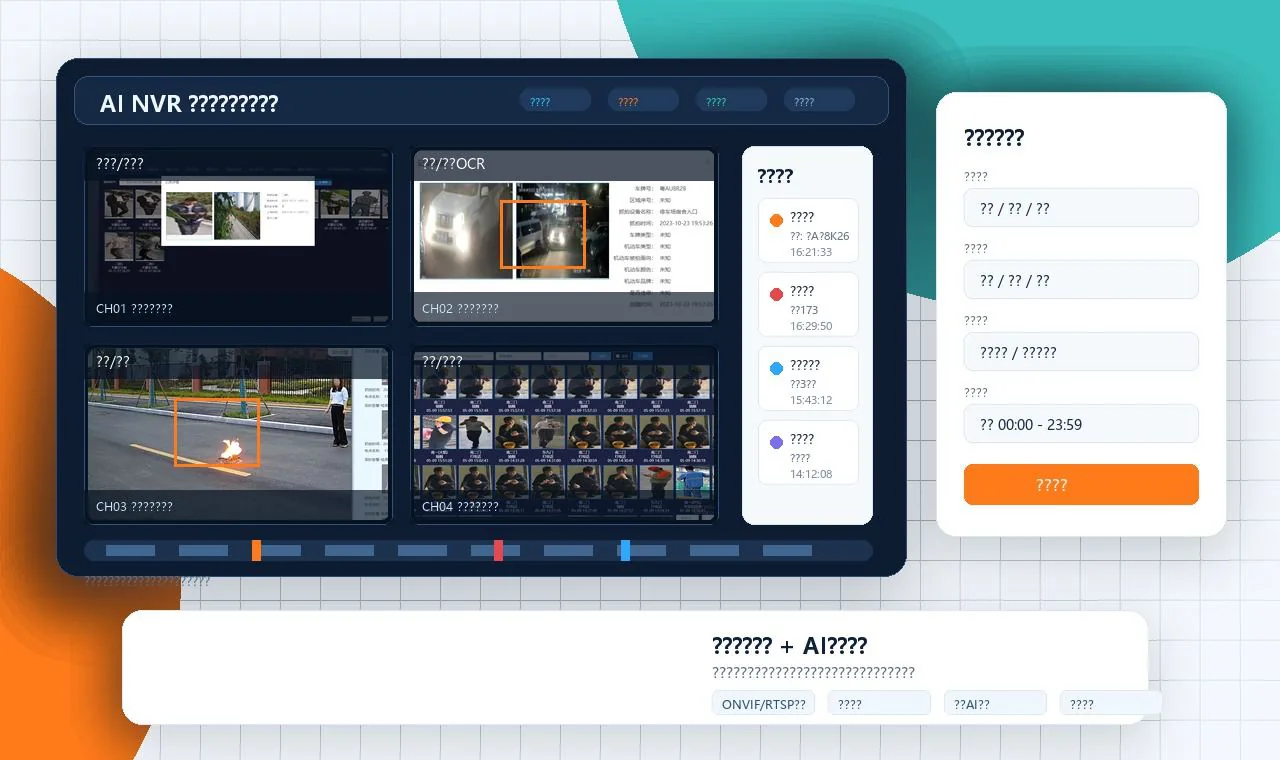
Smart recording and event search

AI NVR Smart Video Recorder

AI-powered NVR for local recording, false-alarm filtering, perimeter protection, intelligent search, event evidence, and ONVIF/RTSP camera compatibility.

The AI NVR is designed for customers who want video recording and AI event management in one local device. It supports existing ONVIF and RTSP cameras, runs AI analysis locally, stores event clips, and helps users search evidence by event type, target, and time.

For alerts that are visually ambiguous, selected evidence can receive an optional second review from a multimodal AI model. The review uses the alarm snapshot, scene image, event type, time, and rule context rather than continuous video. It provides an additional confidence check before the event is escalated or closed, while local AI analysis and recording remain on the NVR.

Compared with a pure edge box, the AI NVR is better when the project values recording management, review workflow, and local search. Compared with a cloud-only platform, it keeps the main video workflow inside the customer network.

Typical Use Cases

Perimeter defense, area intrusion, vehicle parking, fire lane occupation, smoke/fire, PPE compliance, and alarm review can be combined with recording. This makes the device suitable for parks, schools, communities, warehouses, factories, and commercial properties.

Specifications

Key technical information.

Camera inputONVIF and RTSP IP camera access
Core functionsLocal AI analysis, event recording, evidence retention, smart search, perimeter protection
Alarm valueFilters irrelevant motion and keeps snapshots, video clips, time, channel, and event type
DeploymentLocal NVR appliance for recording and AI event workflow

Recording and event management

How an AI NVR turns local video into searchable operational records

An AI NVR is useful when a site needs recording, camera management, event evidence, and intelligent search in the same local system. It fits projects that want to keep video inside their own network while making selected alarms easier for supervisors to find and review.

Define the record before configuring the alarm

For each event, decide what the operator must see afterwards: the camera, time range, event type, region, snapshot, video segment, person or vehicle attributes, and any related plate or task reference. A clear record design makes later search and handover far easier.

Separate continuous recording from event handling

Recording retention, AI event retention, snapshots, and exported evidence may follow different operational rules. A project should confirm disk allocation, expected event volume, user roles, retrieval workflow, and how long evidence needs to remain available for a safety or operations review.

Plan the interface at field level

When an NVR shares events with a VMS, security platform, MES, or other business system, agree the event fields and retry behaviour early. The receiving side may need the event ID, camera ID, event time, image address or Base64 image, severity, and acknowledgement result.

Test search under real workload

Acceptance should include live preview, recording playback, event filtering, snapshot export, alarm delivery, user permissions, and recovery after a camera or network interruption. The point is to prove that a duty operator can find the relevant evidence without replaying hours of video.

Related planning: Guide: AI camera, edge box, or AI NVR. The final choice depends on existing cameras, recording needs, network access, and the way an operations team will use the event records.

Project inquiry

Tell us your camera environment and required AI analytics.

For the first version this site uses a lightweight email-based inquiry flow. It avoids a database and keeps the English site simple until inquiry volume justifies a dedicated CRM integration.

The button opens your email client with the inquiry content filled in.