2-channel entry configuration
2-channel 1080p input, 2 TOPS INT8 edge computing. Suitable for a small, defined camera workload.
Reference price: CNY 3,500.
Existing CCTV AI upgrade
2, 8 and 16-channel NPU edge boxes and a 32-channel GPU video analytics server for upgrading existing RTSP and ONVIF CCTV systems with local detection, snapshots, event records, and platform integration.
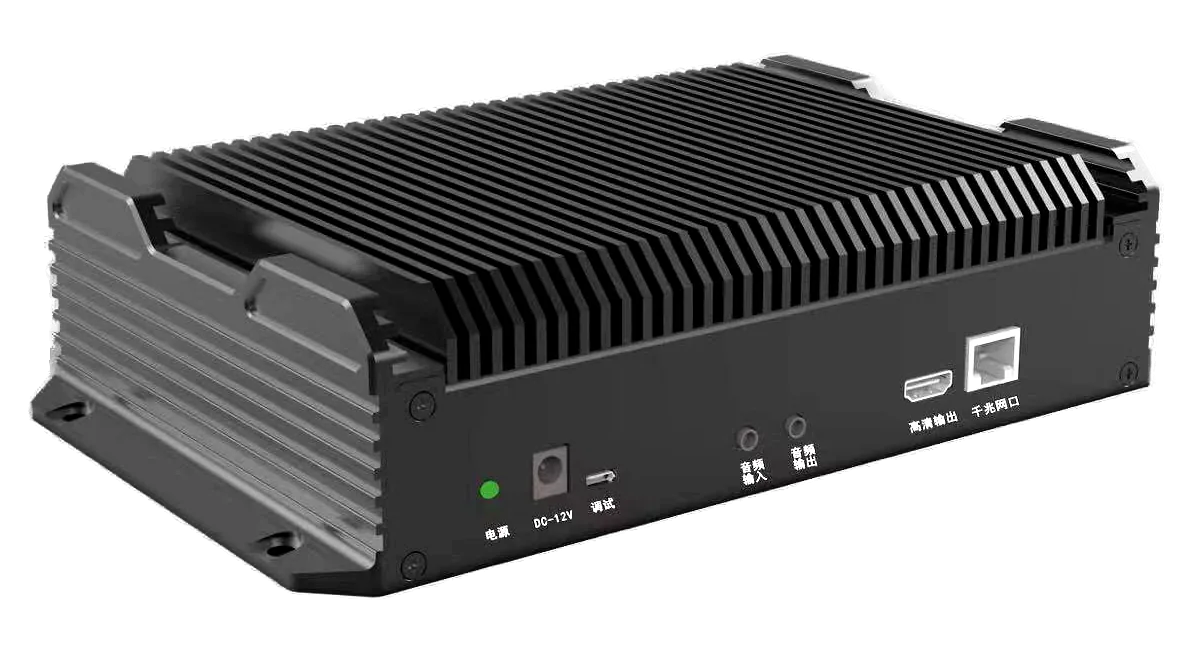
For existing-camera projects that need local detection, event evidence and a browser-based operating interface.
Published reference price: CNY 7,800. Confirm the algorithm scope, accessories, delivery, taxes and support terms in the project quotation.
2-channel 1080p input, 2 TOPS INT8 edge computing. Suitable for a small, defined camera workload.
Reference price: CNY 3,500.
8-core CPU, 6 TOPS INT8 NPU, 8 GB RAM and 64 GB storage. A starting point for small and medium existing-CCTV upgrades.
Reference price: CNY 7,800.
20 TOPS INT8 NPU and 12 GB memory for a larger local camera workload.
Reference price: CNY 15,000.
A different hardware class: 20-core / 40-thread CPU, GPU acceleration and 32 GB memory. It is a video analytics server, not the small NPU box pictured above.
Reference price: CNY 45,000. Server deployment details.
Channel capacity depends on the actual resolution, codec, analysis rate and algorithm mix. A large-model verification workload must be sized separately; it is not included merely because a device supports a stated number of streams.
The AI Edge Box is intended for sites that already have CCTV coverage and want to add AI detection without rebuilding the camera network. It connects to existing RTSP or ONVIF streams, runs inference locally, and sends structured events, snapshots, and metadata to the customer platform.
The local device remains responsible for real-time detection and the first alarm. When a selected alarm needs an additional check, its snapshot, full-scene image, event type, ROI, and rule context can be reviewed by a multimodal AI model. This helps distinguish look-alike situations before escalation and can reduce false alerts. Continuous video does not need to be sent for this review; the second-stage capability can be deployed in a customer-approved on-premise or service environment.
Channel count is only one part of selection. The practical questions are the number of streams to analyze at the same time, video resolution and frame rate, selected algorithm mix, on-site network conditions, evidence retention, event output, and whether the site needs a new custom model later.
Typical deployments include helmet and reflective vest compliance, smoke and flame, smoking and phone use, area intrusion, off-post or sleeping-on-duty behavior, vehicle parking, fire lane occupation, non-designated vehicle presence, license plate recognition, and custom targets trained for the customer’s scene.
Start with a camera inventory and representative video. Review stream access, lens and field of view, target size, lighting, current NVR or VMS access, available bandwidth, selected risks, and how an alarm will be handled. The device should then be sized for the actual channel load and accepted event workflow rather than the largest number printed on a specification sheet.
Specifications
Edge AI deployment
An edge box is usually selected where cameras and an NVR are already in place, the video streams can be reached on a local network, and the project needs to add event detection without replacing the camera estate. Capacity is confirmed from the actual streams and rules that will run on the site.
Confirm the IP address plan, RTSP or ONVIF access, codec, stream resolution, frame rate, and whether the box and camera network can communicate. A camera that can be viewed from an NVR interface is not automatically ready for a third-party AI device; the accessible stream and credentials need to be verified.
A stated channel count is a planning limit rather than a substitute for a stream test. Resolution, bitrate, decoding format, target size, model type, analysis interval, rule count, snapshot retention, and event forwarding all affect the practical channel mix. Projects should reserve capacity for the camera views that carry the highest risk.
A usable event normally includes the event class, device and camera name, timestamp, configured region or line, snapshot, and a video reference where recording is available. HTTP and MQTT integration can pass selected alarm fields to an existing platform, while local records remain available for review.
Run the intended models on day and night footage from the actual cameras before fixing the final channel allocation. Test busy periods, backlight, rain, dust, target distance, partial occlusion, and the alarm interval. This reveals where a view needs adjustment or a rule needs to be narrowed.
Related planning: Guide: adding AI analytics to existing CCTV. For dispersed camera points without a usable local video stream, a front-end AI camera may be the more direct design.
The Chinese demonstration shows local video recognition, captured images and alarm records. Available functions depend on the delivered software and configuration.
The Chinese demonstration shows camera access, algorithm configuration, monitoring and event review. Available functions depend on the delivered software and configuration.
Project inquiry
Tell us the camera count, the events to detect and the project location. Our team will reply by email with the relevant product information and next steps.